Paying vendors
Record a payment you made elsewhere, or send it with WorkPay by bank transfer, virtual card or check.
Written By Julia M.
Overview
Once a bill is signed off, pay it. Record a payment you made elsewhere, or send it with WorkPay.
Watch it: the Finances lesson in Campus, step 7, “Bills and what vendors charge”, chapter 5, “Paying vendors and WorkPay” (starts at 1:35).
Record a payment
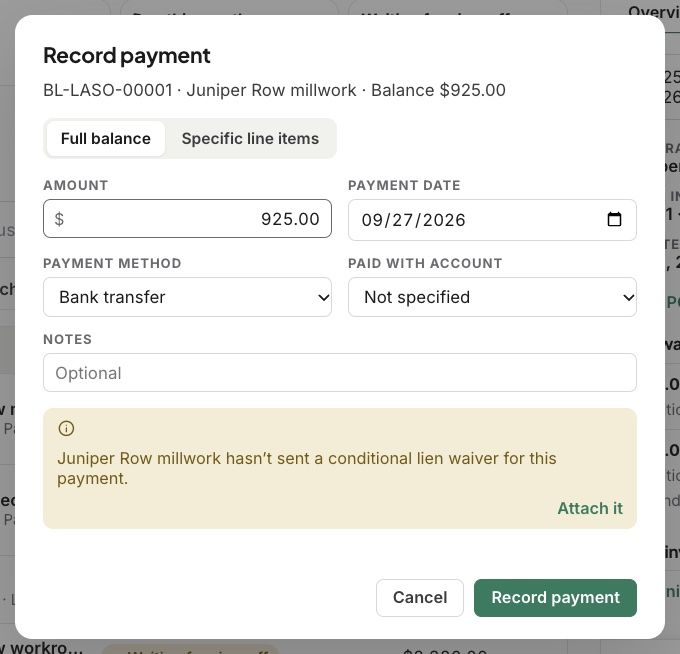
On the bill, click Record payment. Pay the Full balance or Specific line items, and set the amount, date, method and the account it came from.
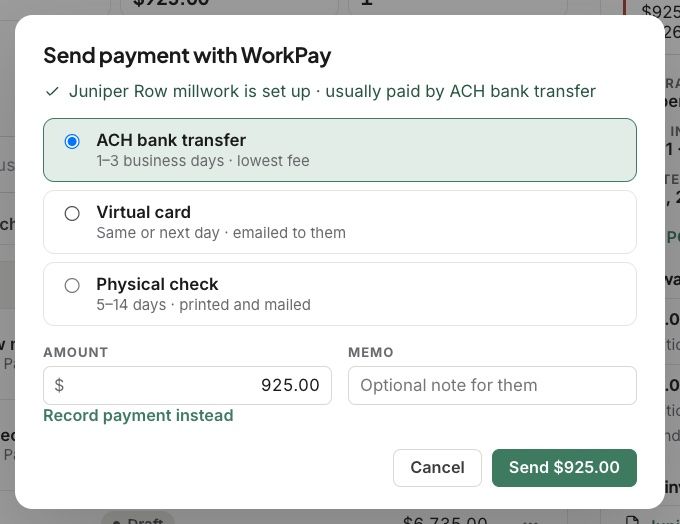
Send it with WorkPay
Choose ACH bank transfer (1 to 3 business days, lowest fee), Virtual card (same or next day, emailed to them), or Physical check (5 to 14 days, printed and mailed). Add a memo and send.
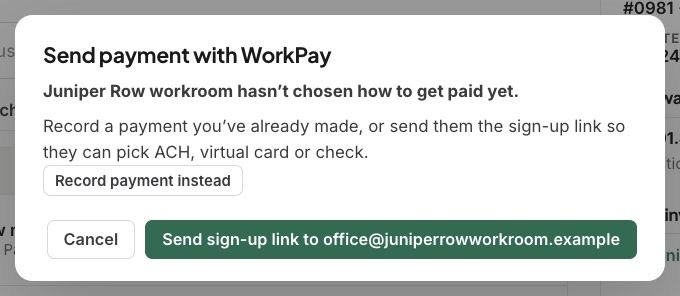
A vendor who hasn’t chosen how to get paid gets a sign-up link.
Good to know
On design-build work, Workroom tells you when a contractor’s lien waiver is missing. It never stops you paying.
Every payment shows in Payments.
Related articles
Was this helpful?
Still need help? Ask the team