Procurement: an overview
Everything you buy in one place: purchase orders, bills, expediting and the procurement reports.
Written By Julia M.
Overview
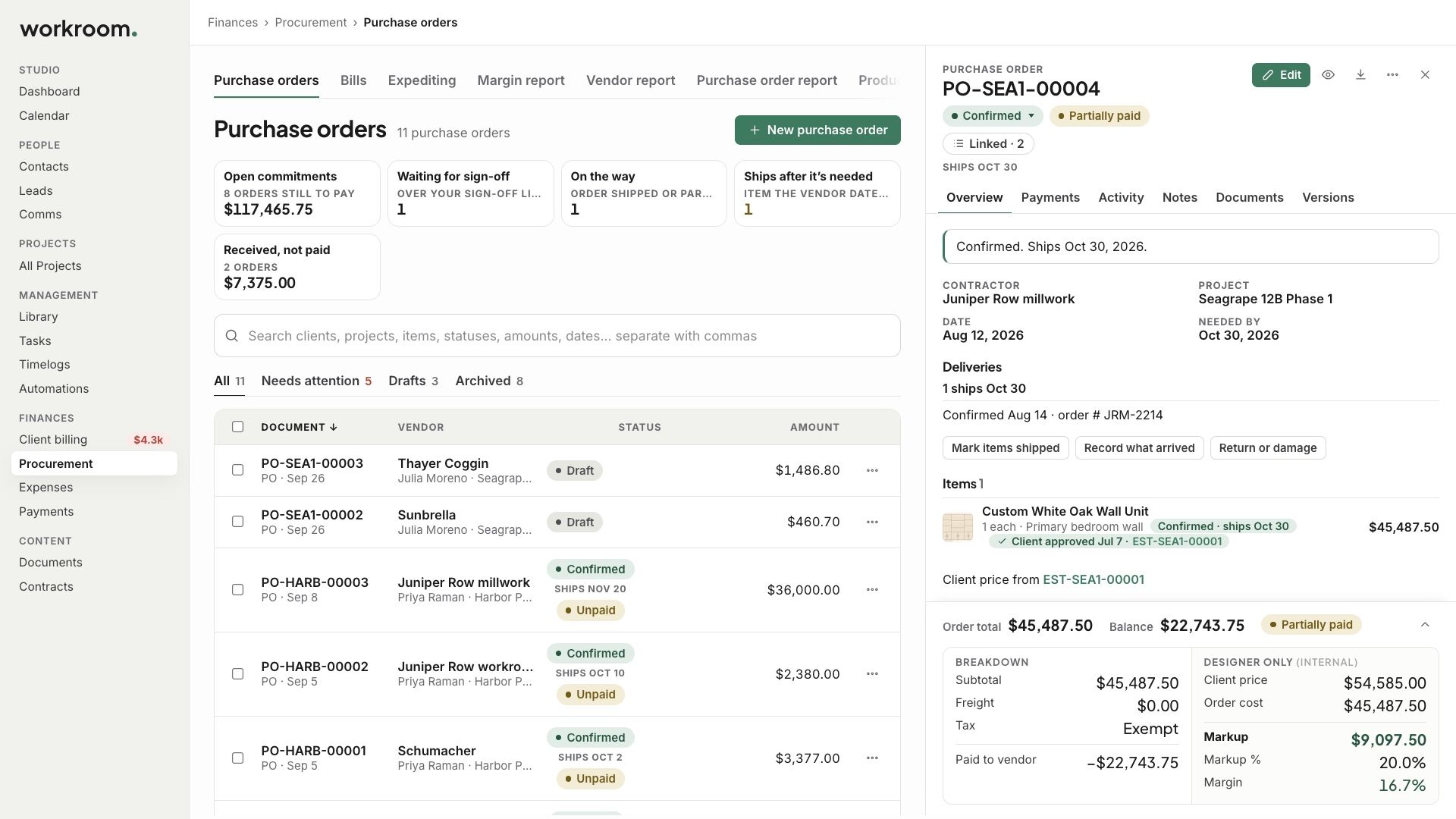
Finances › Procurement is everything you buy: purchase orders, bills, expediting, and the reports, each on its own tab. Inside a project, the project’s Finances tab shows the same, for that project only.
Watch it: the Finances lesson in Campus, step 1, “Find your way around Finances”, chapter 1, “The four groups” (starts at 0:10).
The tabs
Purchase orders: every order, with what is waiting for sign-off, on the way, shipping after it is needed, and received but not paid.
Bills: what your vendors charged, what is due and what is overdue.
Expediting: every item on every order you have sent, most at risk first.
The reports: Margin, Vendor, Purchase order, Products, Installation and Variance.
How it fits together
Every purchase starts as a purchase order, contractors’ work included.
When the vendor’s invoice comes in, it becomes a bill linked to that order.
Purchase orders usually come from an approved estimate with Convert to purchase orders.
Related articles
Was this helpful?
Still need help? Ask the team