Expediting and follow-ups
Every item on every order you have sent, most at risk first. Log follow-ups and ask vendors for updates.
Written By Julia M.
Overview
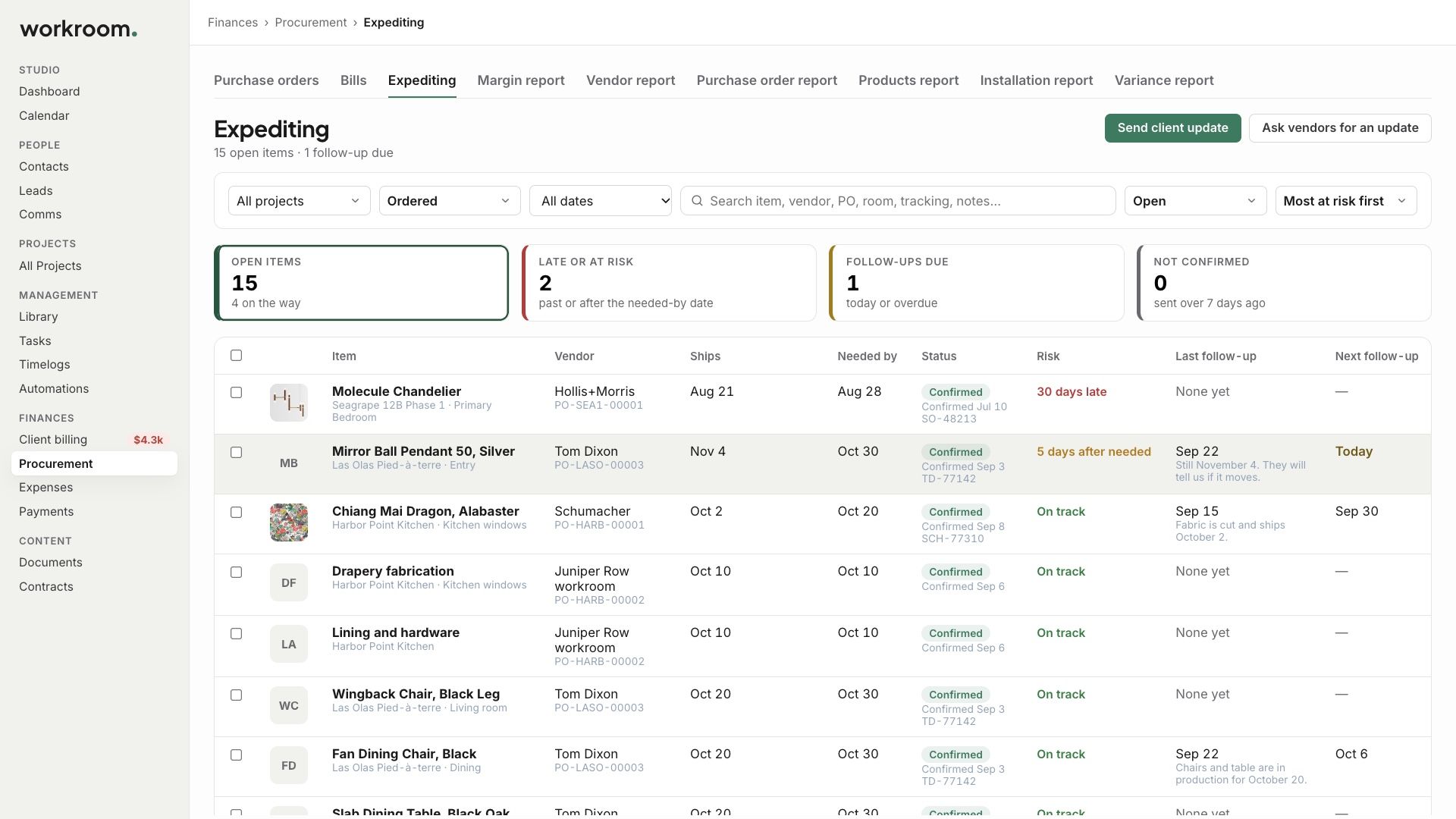
Finances › Procurement › Expediting lists every item on every order you have sent, with the most at risk first.
Watch it: the Finances lesson in Campus, step 6, “Order and track”, chapter 5, “Expediting” (starts at 1:34) and chapter 6, “Follow-ups and asking vendors” (starts at 1:48).
What you see
Tiles for open items, what is late or at risk, follow-ups due, and orders not confirmed.
For each item: when it ships, when it is needed, its status and risk, and when you last followed up.
Log a follow-up
Record how you reached the vendor, what they said, and a new ship date if there is one. The new date updates everywhere.

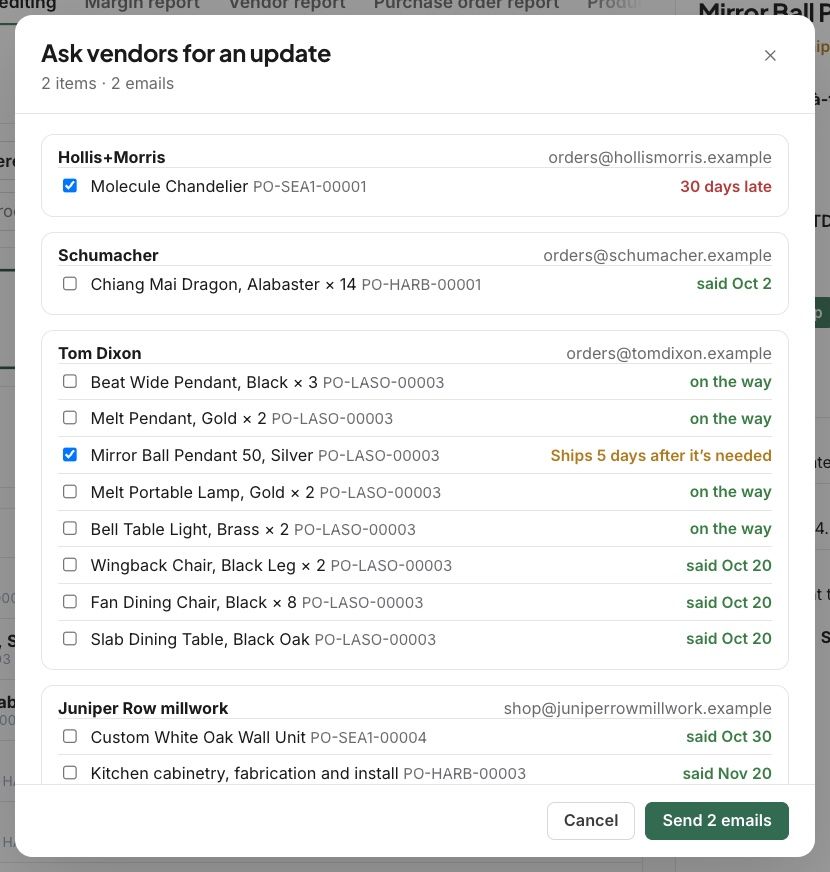
Ask vendors for an update
Click Ask vendors for an update and tick the items. Each vendor gets an email, and answers on their own page.
Related articles
Was this helpful?
Still need help? Ask the team