How to issue a refund or credit on an invoice
Refund all or part of a line, keep a restocking fee, and choose whether the money goes back, comes off the balance, or becomes a credit memo.
Written By Julia M.
Overview
Refund line items opens one refund dialog. It is the same dialog you use to refund a retainer or a deposit on an estimate. Every refund is saved as its own record.
Watch it: the Finances lesson in Campus, step 4, “Invoice and get paid”, chapter 5, “Refunds and credit memos” (starts at 1:24).
Steps
Open the invoice and go to its Payments tab. Click Refund line items.

Tick the line that is going back. It opens into its pieces: the item, its shipping, tax and fees. Untick a piece to leave it out, or type a smaller amount to refund part of it. A line sold by quantity has Qty to refund.
Keeping a restocking fee? Enter it in Restocking fee as a percent or an amount. The tax that comes back follows what you return.
To give back an amount that is not tied to a line, use Goodwill under Whole invoice.
Choose what happens: Take it off the balance due, Refund the payment, or Credit the client’s account.
Set the Refund date. Add a Note to client and an Internal note if you like. A goodwill amount needs both notes.
Click the button at the bottom. It follows your choice: Save refund, Record refund or Issue credit memo.

What happens next
The refund shows on the invoice’s Payments tab, and the invoice totals show what was refunded.
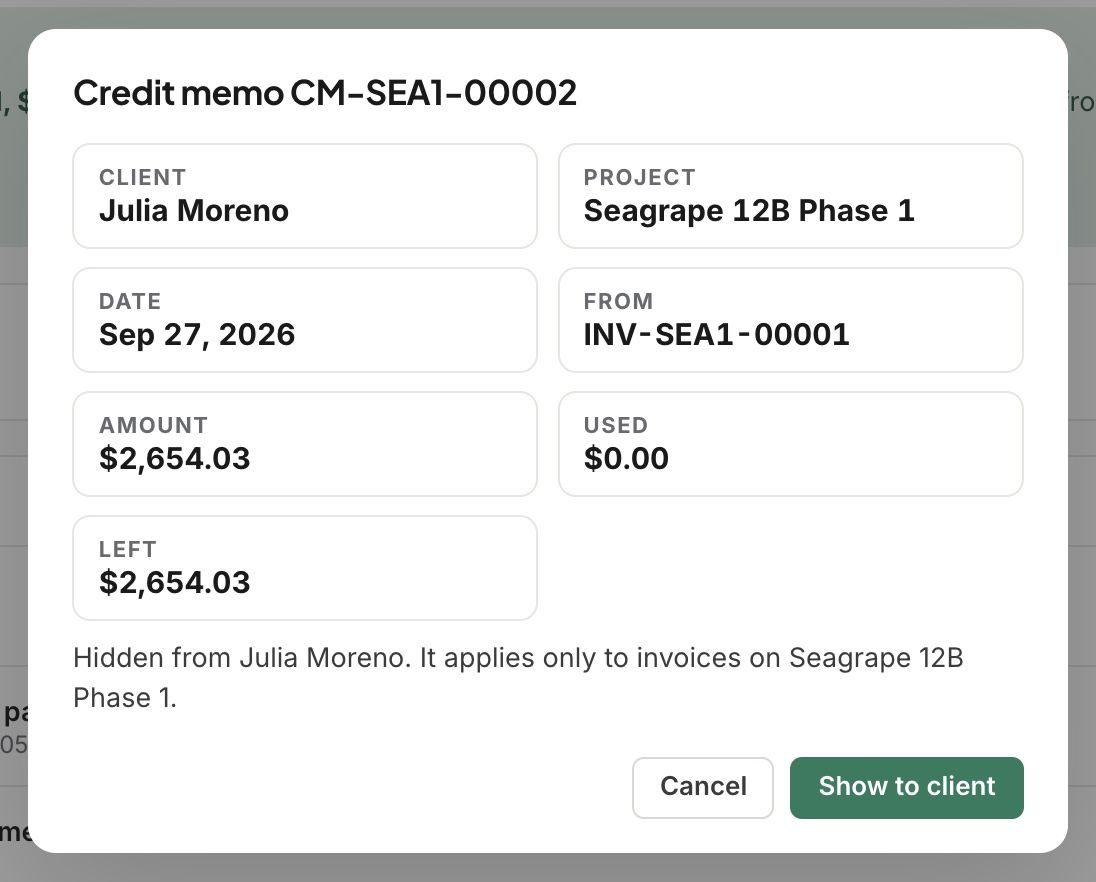
A credit becomes a numbered credit memo on this project, like CM-SEA1-00002.
Every credit memo starts hidden from your client. Open it and click Show to client when you want them to see it.
Use the credit later on any invoice on the same project: Record payment, then Apply Credit.
Good to know
Refund the payment on a payment your client made online can go back to their card or bank with Process refund. For a check or bank transfer, Record refund records the refund you send yourself.
A credit memo stays on the project it was made on. It can’t be moved to another project.
What you keep as a restocking fee shows under the refund total.
Related articles
Was this helpful?
Still need help? Ask the team