Paying your team back
See what you owe your team for expenses they paid themselves, and record when you paid them back.
Written By Julia M.
Overview
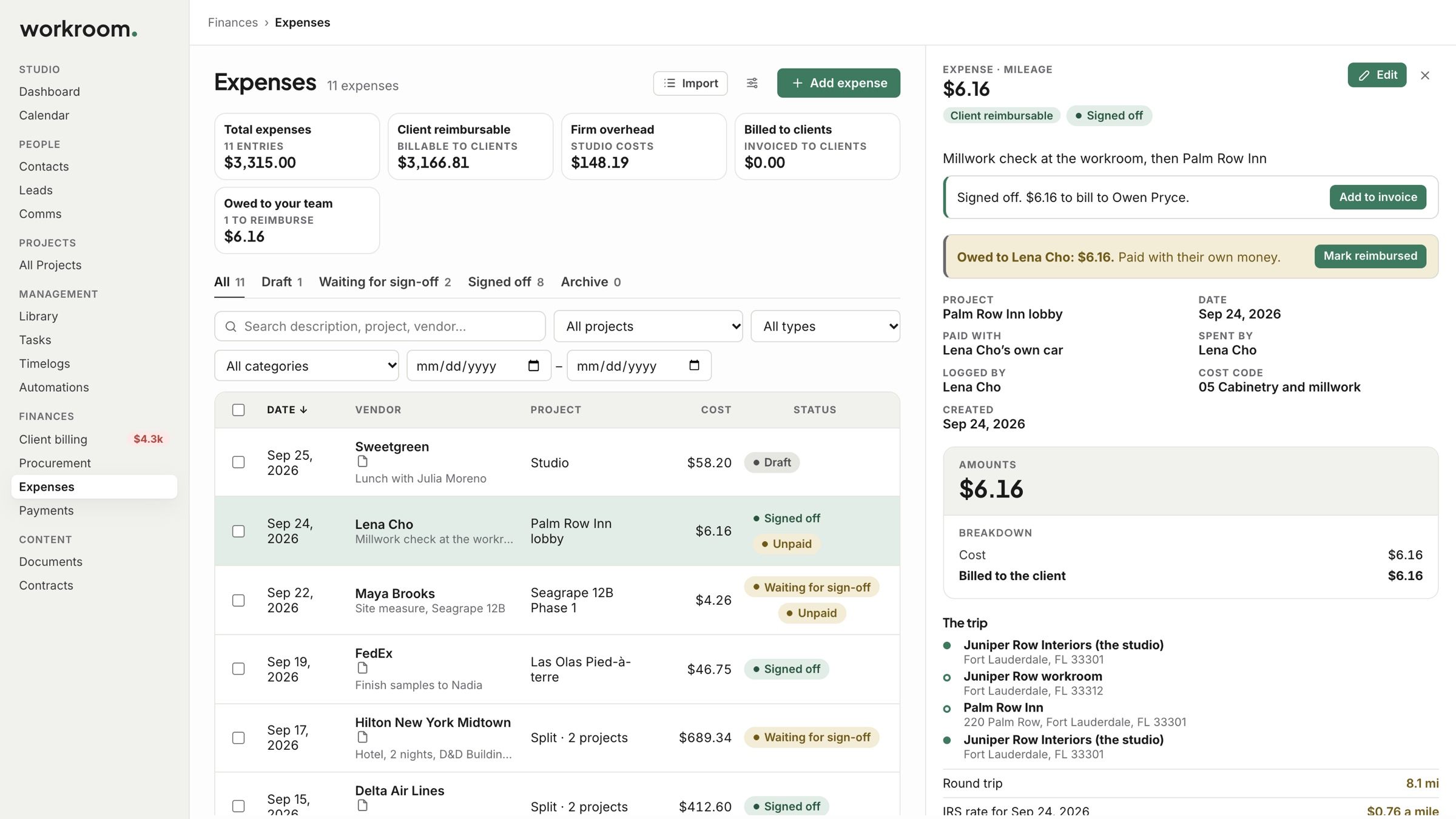
When someone pays with their own card or drives their own car, the expense shows what you owe them.
Watch it: the Finances lesson in Campus, step 5, “Time and expenses”, chapter 6, “Pay your team back” (starts at 2:02).
What you owe
The Owed to your team tile on Finances › Expenses adds it all up. Open an expense to see who is owed and how much.
Mark it reimbursed
On the expense, click Mark reimbursed.
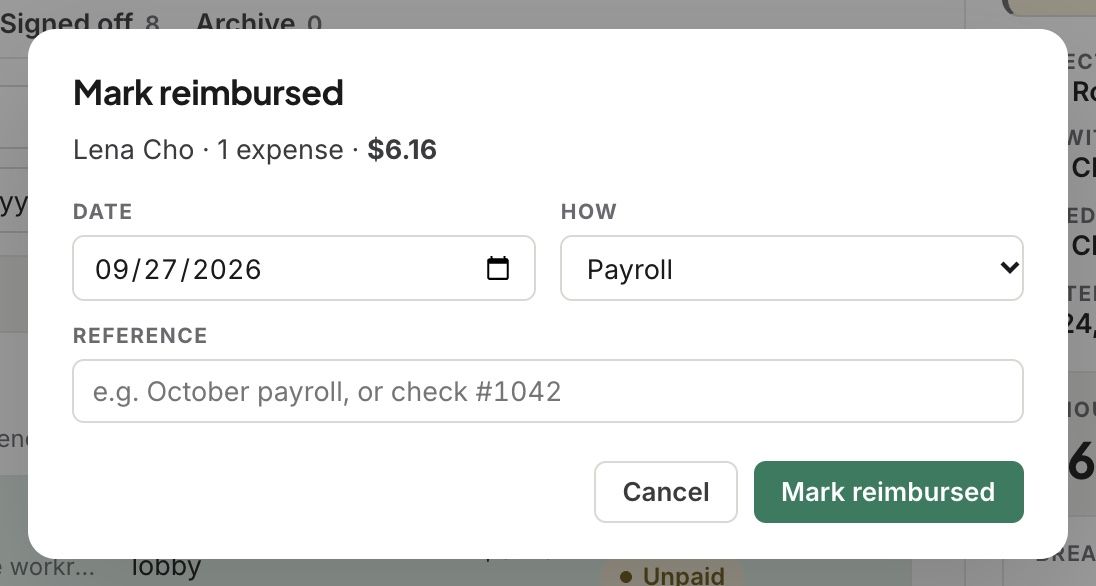
Set the Date and How you paid them back: payroll, bank transfer, check or cash. Add a reference if you like.
Click Mark reimbursed.
What happens next
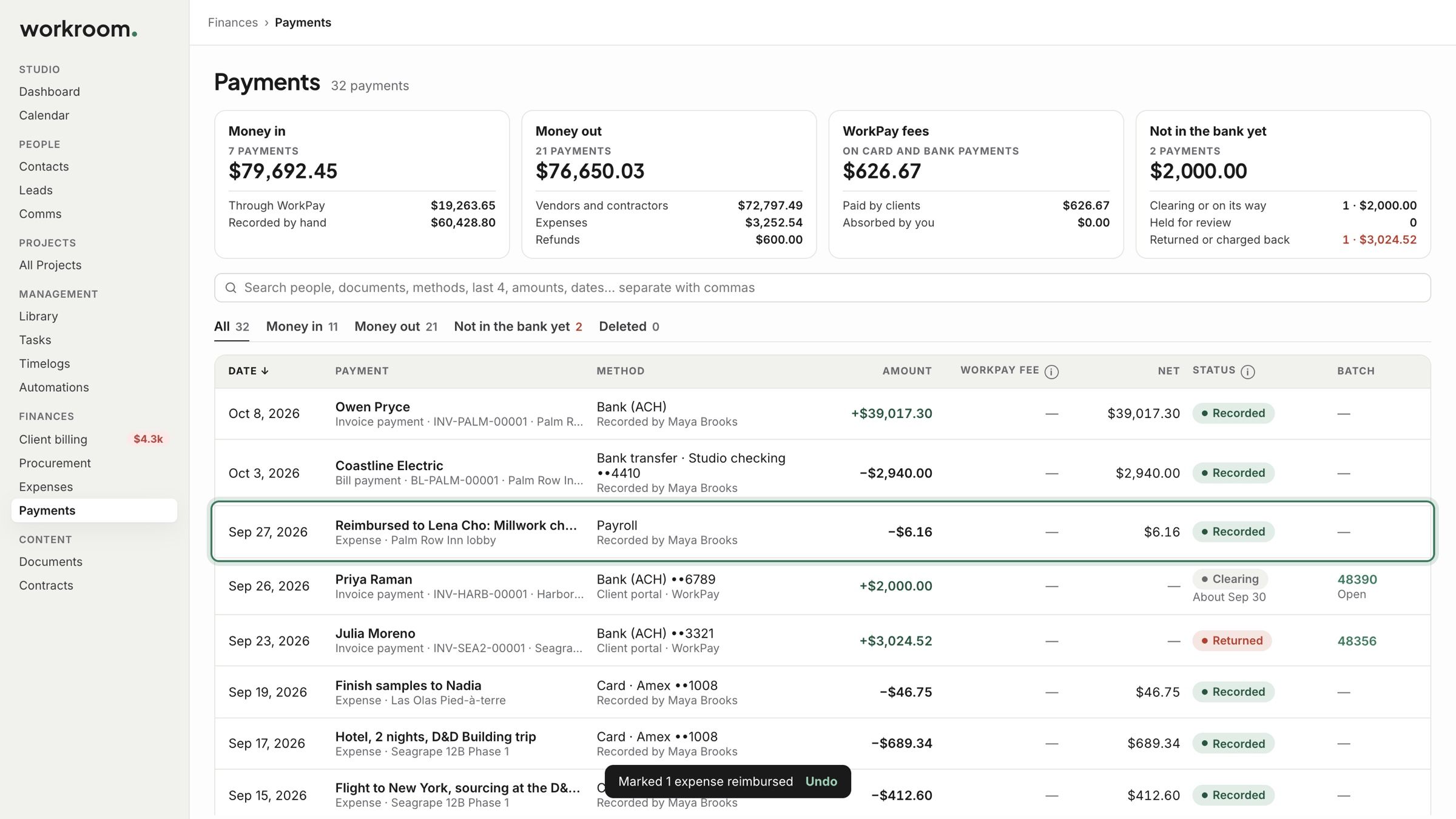
The payment shows in Payments on the day you paid it.
Related articles
Was this helpful?
Still need help? Ask the team