Mileage
Log a drive: where you started and went, stops, round trip, and the rate.
Written By Julia M.
Overview
Log a drive as an expense with the Mileage category. Workroom works out the miles and the amount.
Watch it: the Finances lesson in Campus, step 5, “Time and expenses”, chapter 5, “Mileage” (starts at 1:44).
Steps
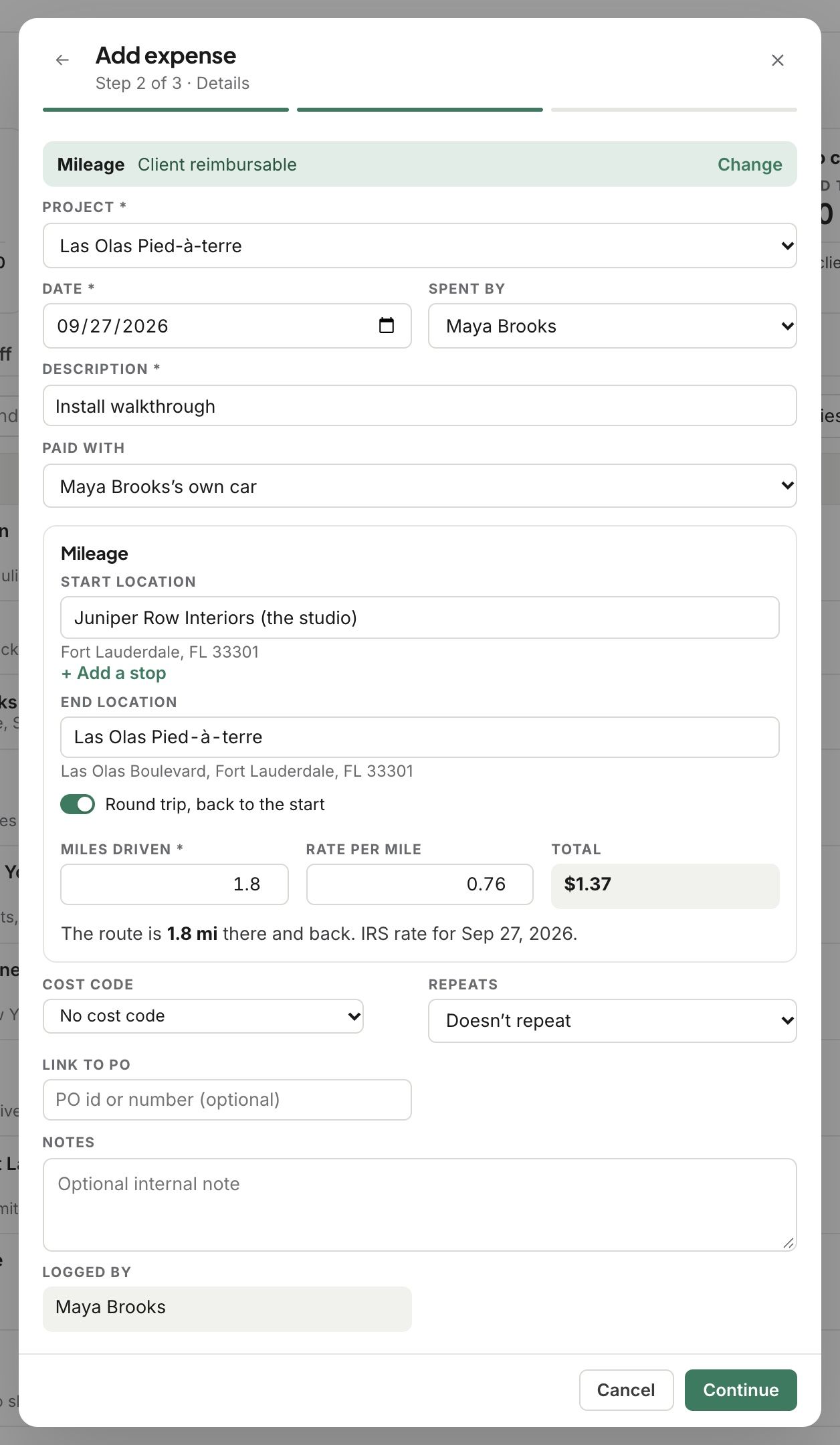
In Finances › Expenses, click Add expense and choose Mileage.
Pick the project and who drove, and add a description.
Enter the Start location and End location. Add stops with + Add a stop.
Round trip is on, back to the start, unless you turn it off.
The miles fill in from the route. The rate is the IRS rate for the day of the trip, or your studio’s own rate.
Click Continue, check the review, and save it.
Related articles
Was this helpful?
Still need help? Ask the team