Pay applications
Bill a percent complete project from its schedule of values, in the layout your client and their lender expect.
Written By Julia M.
Overview
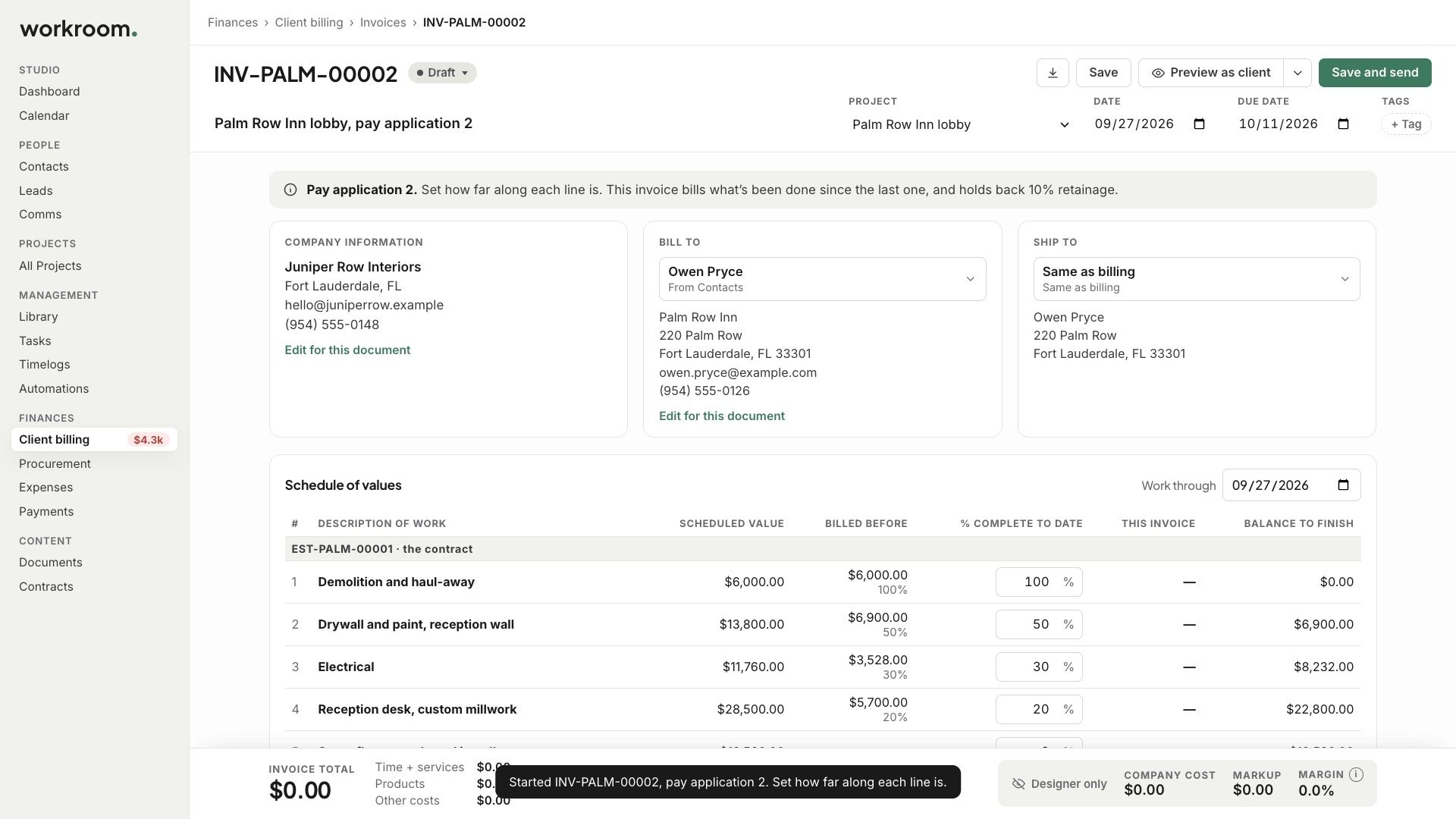
On a percent complete project, New pay application opens the schedule of values.
Watch it: the Finances lesson in Campus, step 8, “Design-build”, chapter 7, “Pay applications” (starts at 1:59).
Steps
From the project’s side panel or New › Pay application, start a new pay application.
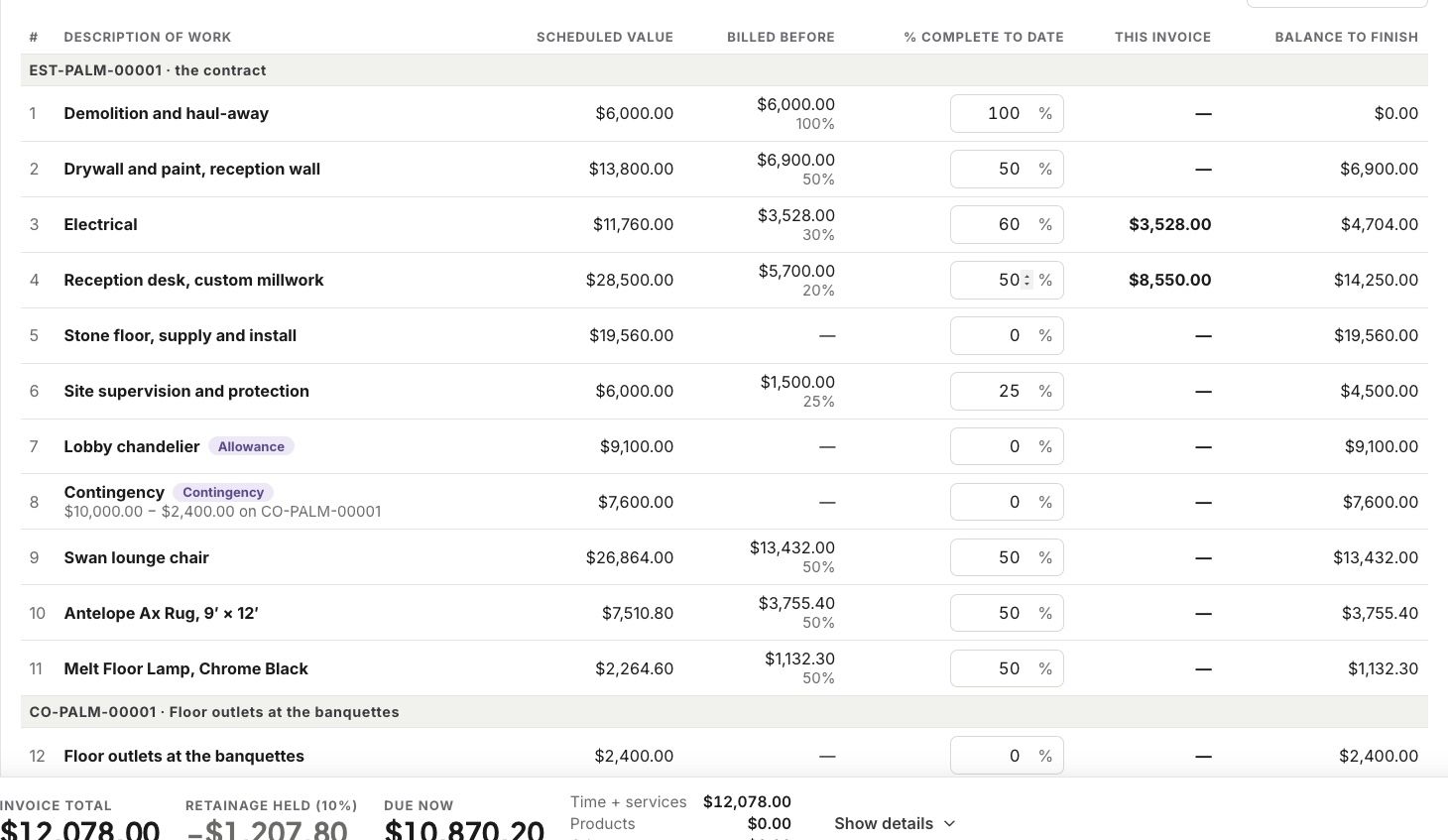
Set how far along each line is. Workroom works out this invoice, what was billed before, and the balance to finish.
Send it.
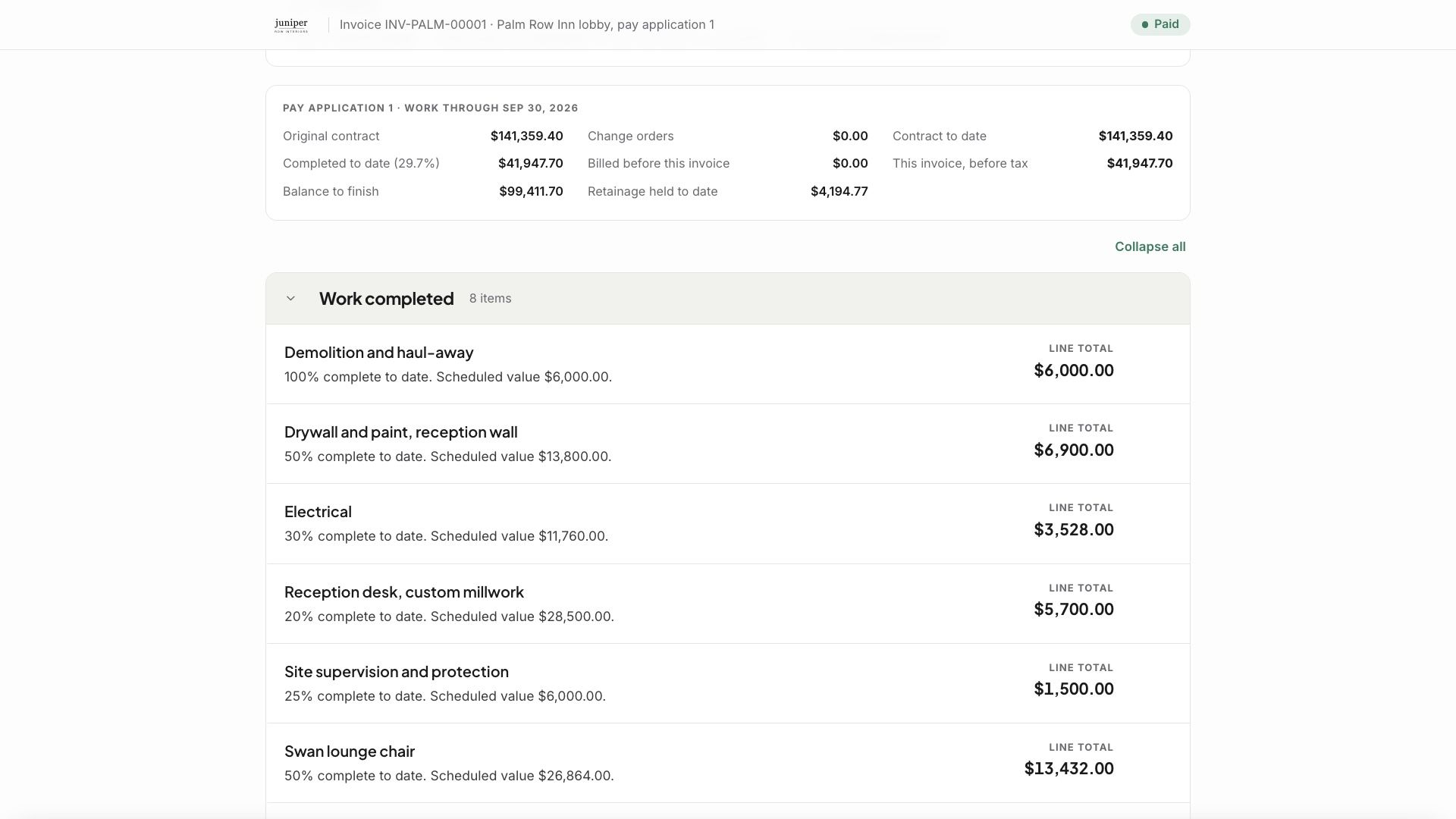
What your client sees
Your client, and their lender, see the layout they expect. Once it is sent, it is locked.
Related articles
Was this helpful?
Still need help? Ask the team