Cost plus billing
On cost plus, the estimate is the budget. Bill costs as they come in, with their backup, plus your fee.
Written By Julia M.
Overview
On a cost plus project, the estimate is the budget. Bill costs as they come in with Invoice from costs.
Watch it: the Finances lesson in Campus, step 8, “Design-build”, chapter 3, “Cost plus” (starts at 0:50).
Steps
Open the project’s approved estimate. Its side panel shows the budget against what has been billed, with Invoice from costs.
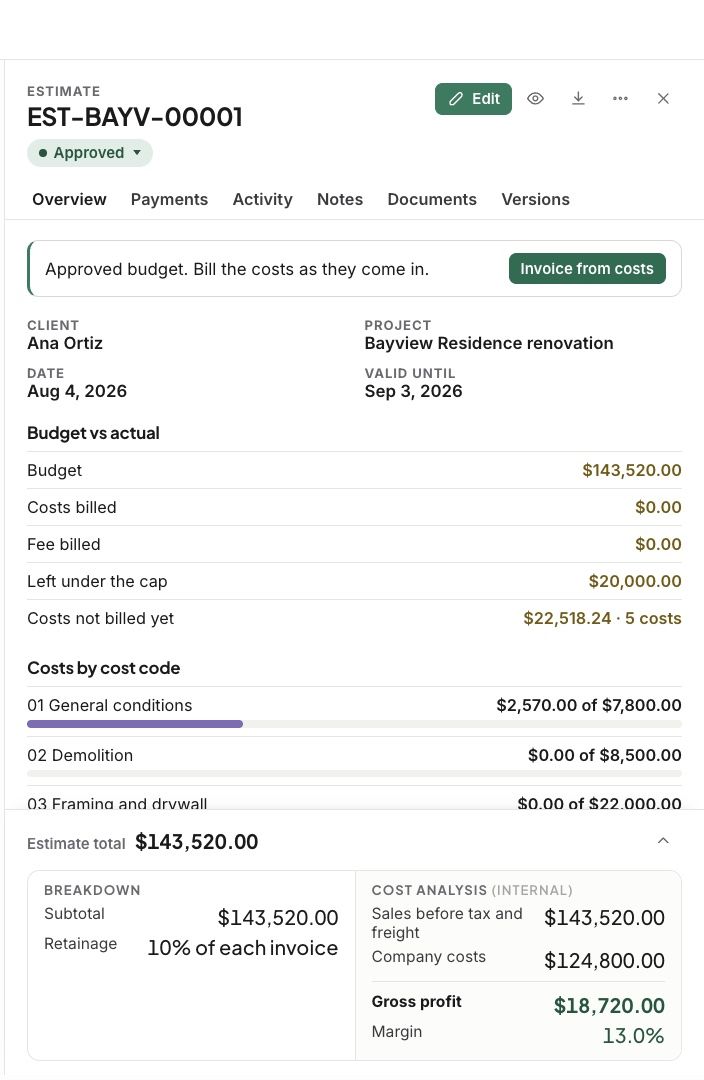
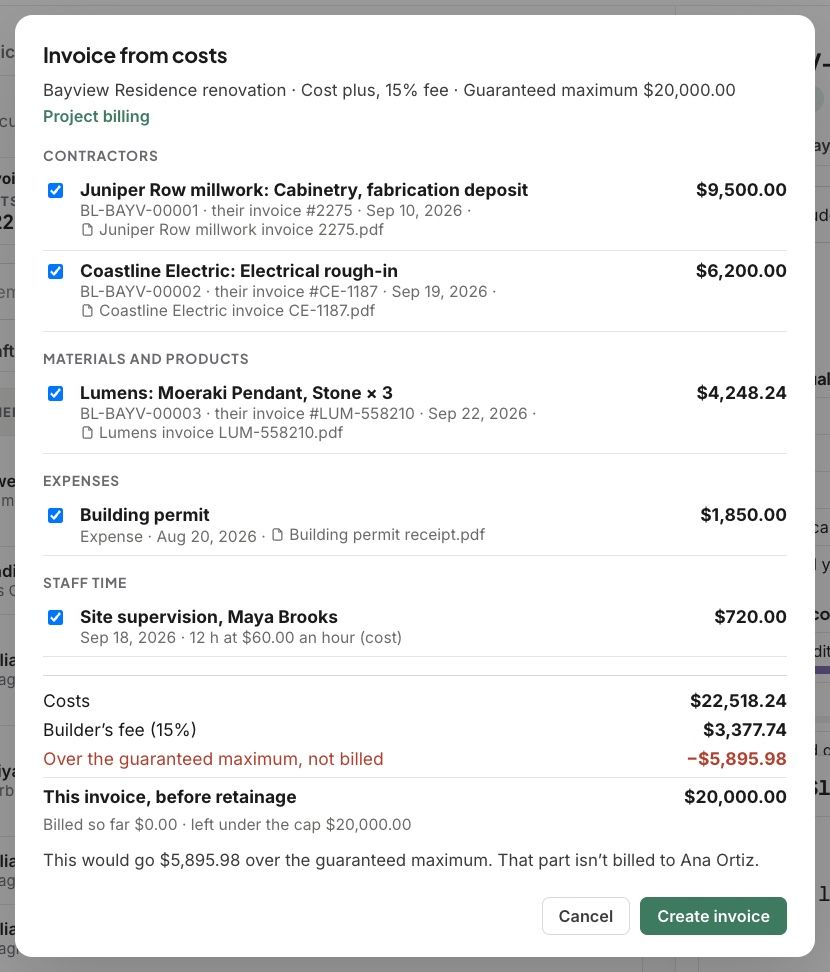
Click Invoice from costs. Signed-off contractor bills, materials and products, expenses and staff time are listed at cost, each with its backup.
Tick what to bill. Your fee is added on top.
Click Create invoice.
Good to know
Nothing is billed twice. Once a cost is on an invoice, it leaves the list.
With a guaranteed maximum, anything over it shows on the invoice as not billed.
Related articles
Was this helpful?
Still need help? Ask the team