How a project bills: fixed price, percent complete or cost plus
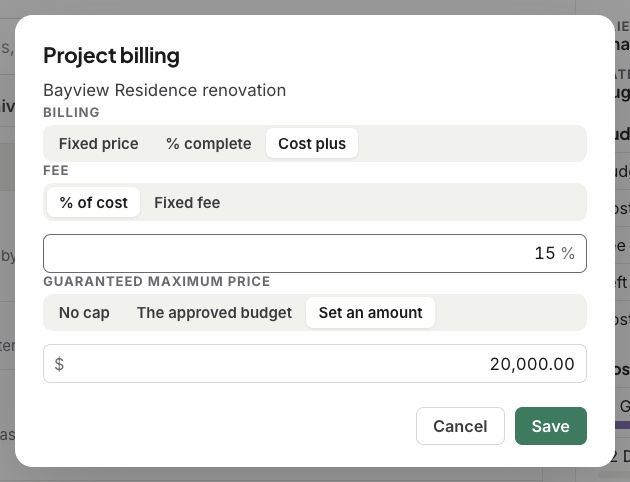
Each project bills one of three ways. For cost plus, set your fee and any guaranteed maximum price.
Written By Julia M.
Overview
Each project bills one of three ways: a Fixed price, by % complete, or Cost plus. You set it in the project’s Project billing.
Watch it: the Finances lesson in Campus, step 8, “Design-build”, chapter 1, “Project billing” (starts at 0:10).
The three ways
Fixed price: you bill the agreed price, on the payment schedule.
% complete: you bill how far along each line is, with pay applications.
Cost plus: you bill your costs as they come in, plus your fee.
Cost plus
Set your Fee as a % of cost or a Fixed fee.
Set a Guaranteed maximum price if there is one: No cap, The approved budget, or Set an amount.
Click Save.
Related articles
Was this helpful?
Still need help? Ask the team