Allowances
Put an allowance on the estimate for something you’ll choose later, pick against it, and settle the difference.
Written By Julia M.
Overview
Put an allowance on the estimate for something you will choose later, like a lobby chandelier.
Watch it: the Finances lesson in Campus, step 8, “Design-build”, chapter 5, “Allowances” (starts at 1:29).
Steps
In a section, click Add allowance, name it and set the amount.
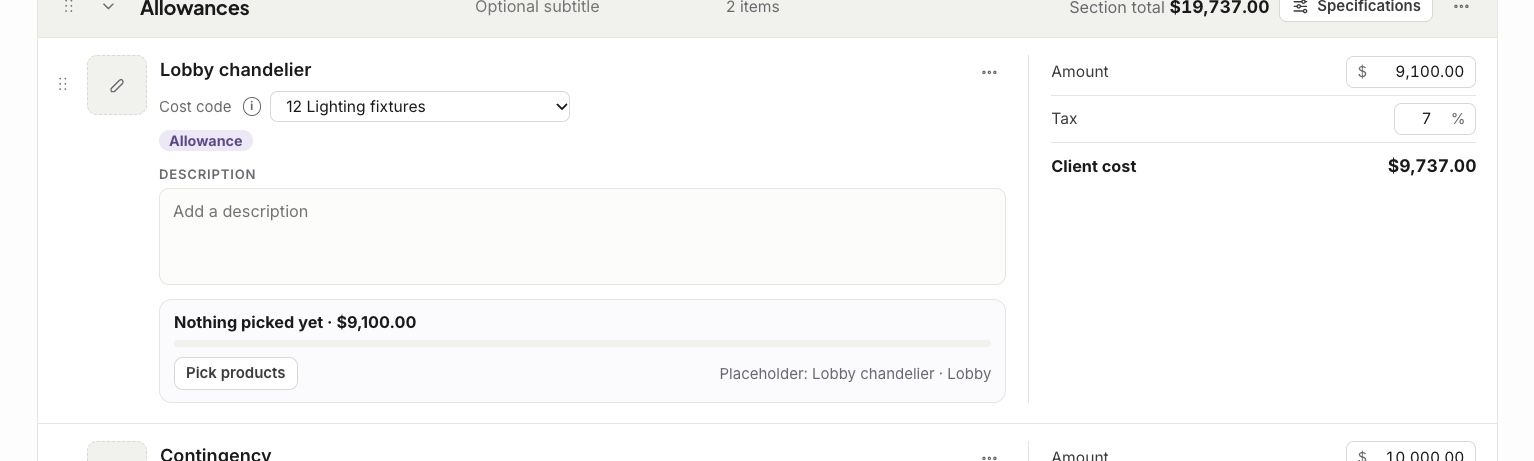
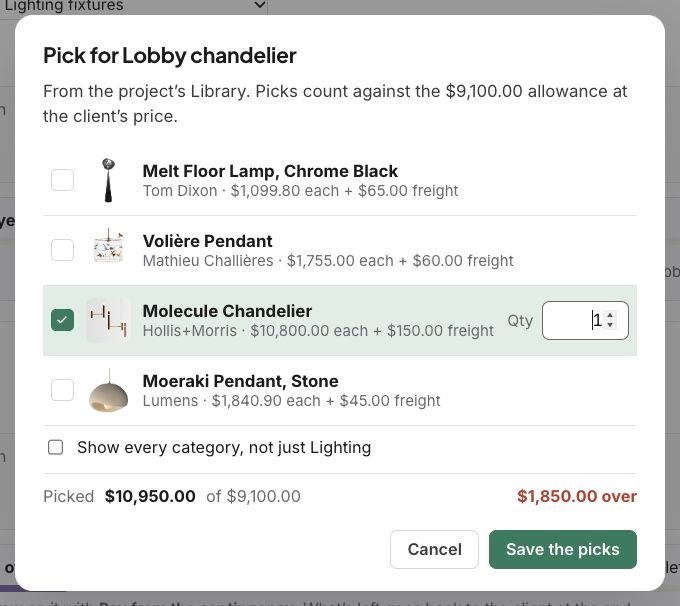
When it is time to choose, click Pick products on the allowance. Pick from the project’s Library, and see how far over or under you are.
Click Save the picks.
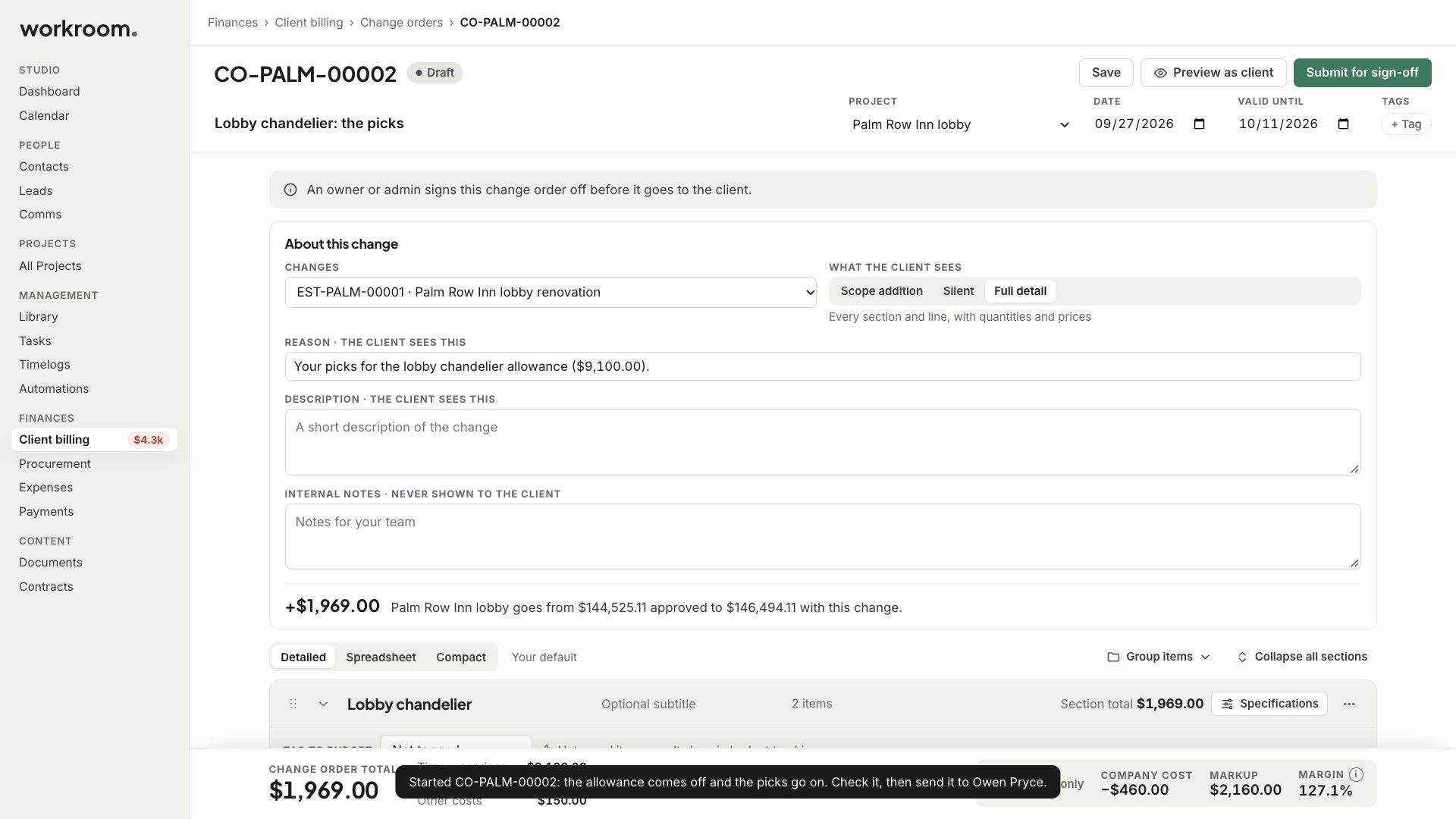
Settle it with a change order for the difference.
Related articles
Was this helpful?
Still need help? Ask the team