Sales tax and tax codes in QuickBooks
Choose who calculates tax and where it goes in QuickBooks in the US, or a tax code for each kind of line in Canada and the UK.
Written By Julia M.
Overview
Every line goes to QuickBooks with a tax code. Workroom doesn’t pick one for you, and records wait until each code is chosen.
Watch it: QuickBooks basics for designers in Campus, chapter 7, “Sales tax” (starts at 4:22).
In the US
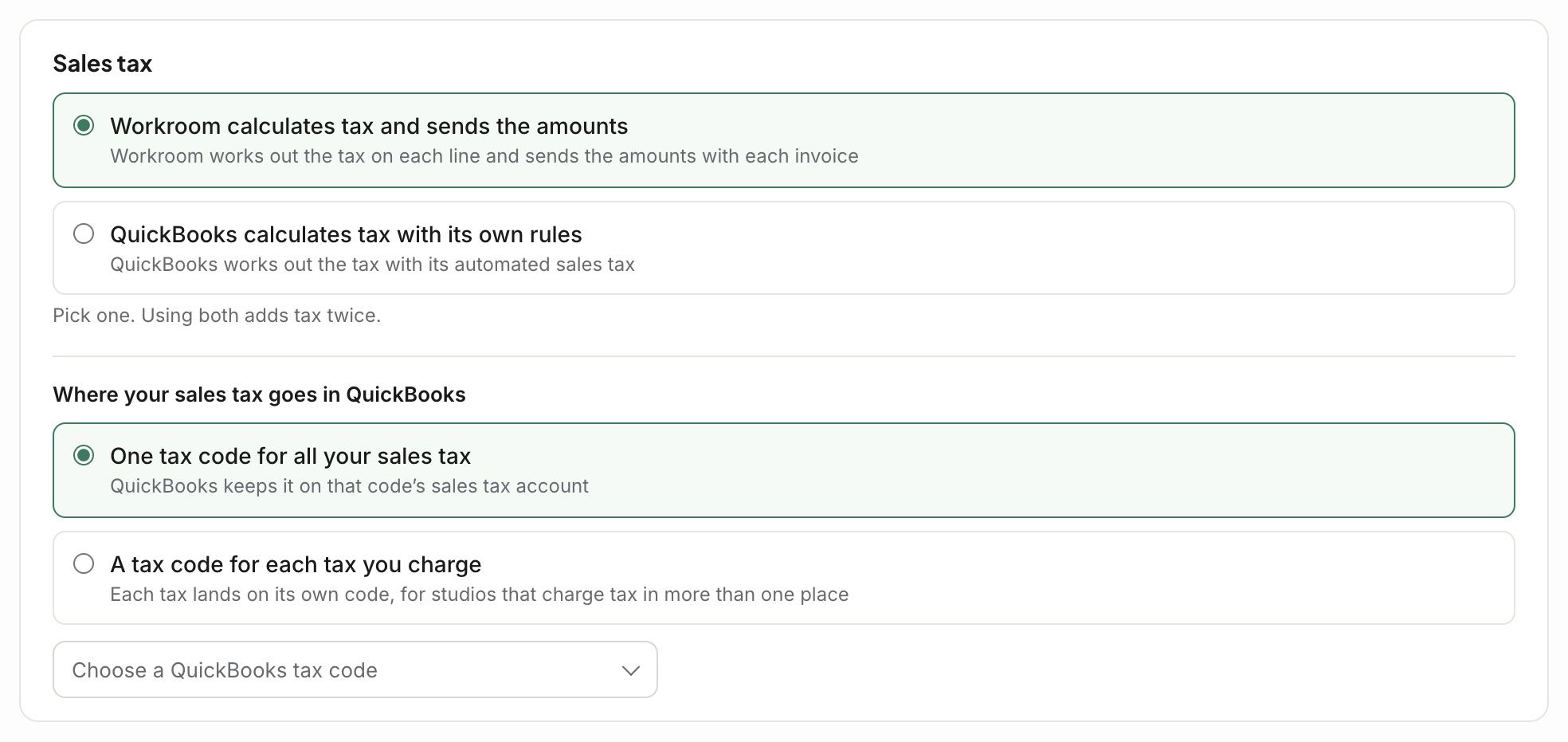
On the Sync tab, under Sales tax:
Who works it out: Workroom calculates tax and sends the amounts, or QuickBooks calculates tax with its own rules. Pick one. Using both adds tax twice.
Where it goes: One tax code for all your sales tax, or A tax code for each tax you charge if you charge tax in more than one place. Then pick the QuickBooks tax code.
In Canada and the UK
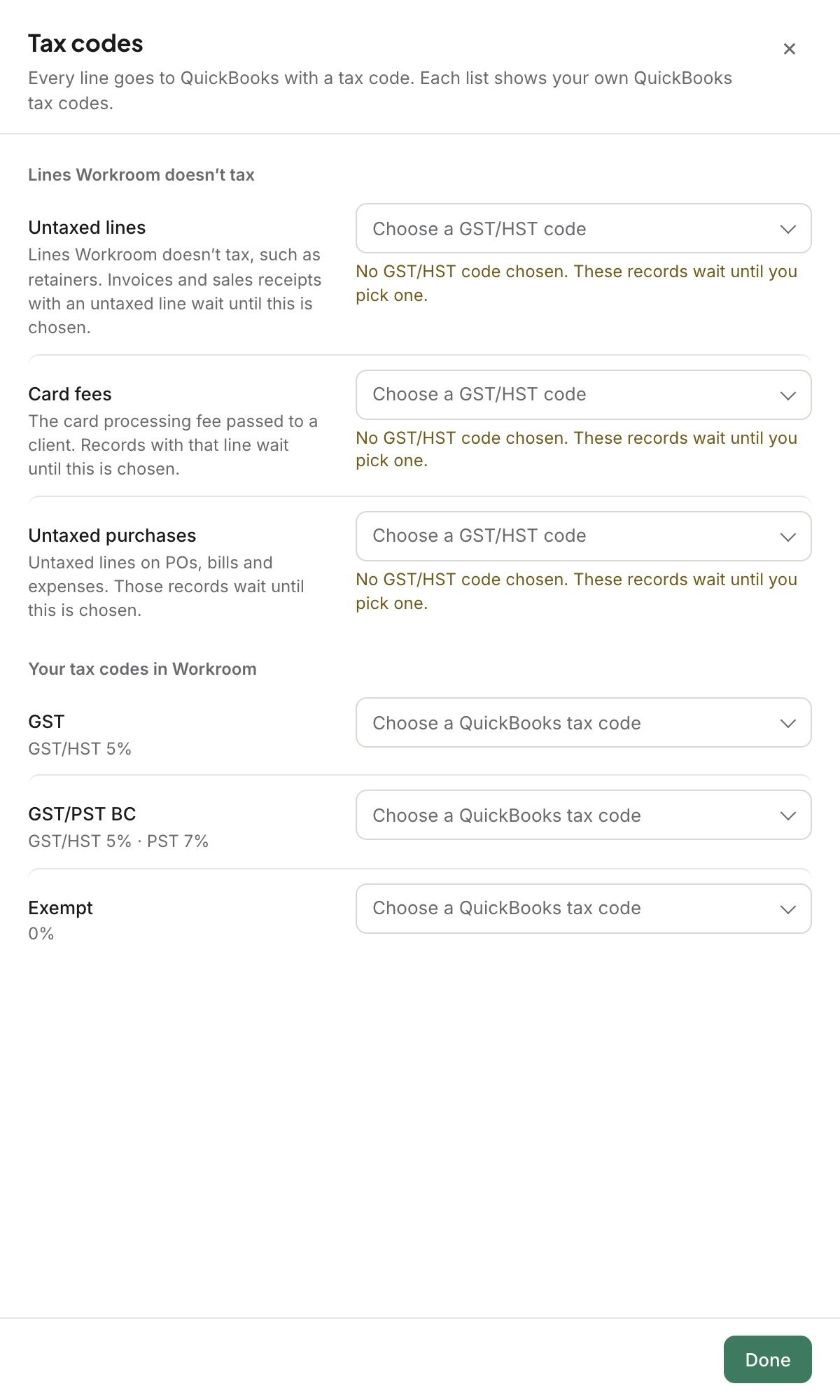
On the Mapping tab, open Tax codes. Pick a GST/HST code in Canada, or a VAT code in the UK, for:
Untaxed lines: lines Workroom doesn’t tax, like retainers.
Card fees: the card processing fee you pass to a client.
Untaxed purchases: untaxed lines on POs, bills and expenses.
Your tax codes in Workroom: a QuickBooks tax code for each one.
Good to know
When you add a new tax in Workroom, it starts with no QuickBooks tax code. Records using it wait until you pick one.
Related articles
Was this helpful?
Still need help? Ask the team